Saved Profiles
Everything you research lands in one book
Research is worthless if it scatters. Every owner the agent identifies, every person a search turns up, every household you look up from the map: all of it files itself into one place, keeps the reasoning that produced it, and leaves as a CSV your CRM will accept without an argument.
- Profiles file themselves, from four different tools
- Wealth estimates, contacts, and the parcel, on one record
- Your notes travel with the export
How it fills up
Four tools, one destination
There is no separate step where you copy findings into a list. Every part of Plotbook that discovers a person writes to the same book, tagged with where it came from.
AI owner research
Every completed research run saves itself, with its research summary, confidence score, and the parcel that started it. Nothing to file by hand.
How research worksPeople Search
Save any result and Plotbook enriches it on the way in, pulling the full record and unmasking the contact details the preview held back.
How search worksOwner Lookup
The instant lookup on the map returns everyone at an address. Save one of them, or the whole household, in a single action.
How lookup worksThe map itself
Profiles carry a link to their real parcel, which is why saved prospects show up as markers back on the map. The book and the map stay in sync.
See the mapWorking the list
Built to be worked, not just stored
At a glance
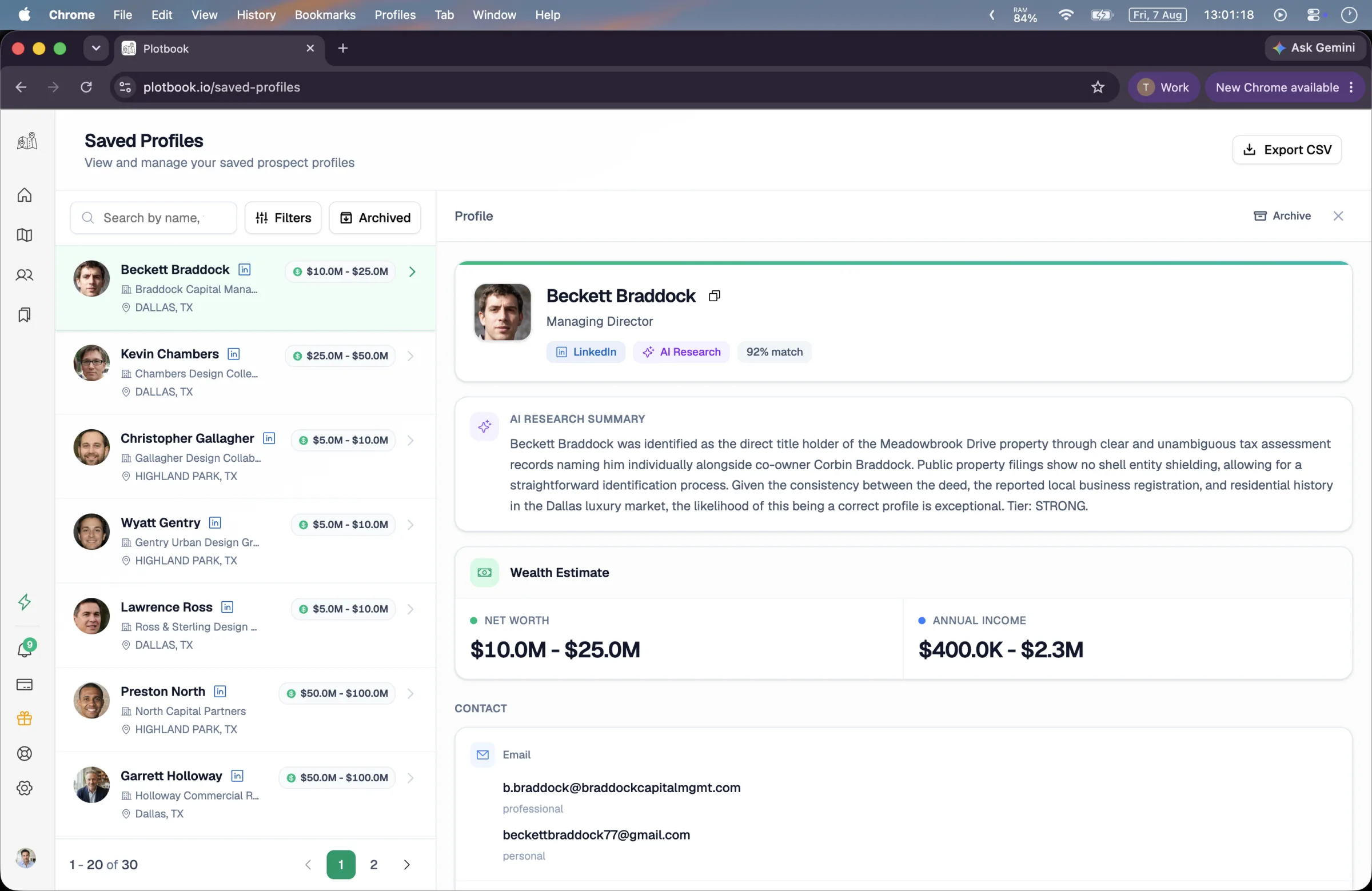
Each row carries a portrait, name, title, employer, and city, plus indicators for whether an email and a phone number are on file, a badge for which tool found them, and a net worth range chip. While the wealth model is still running, the chip shows an estimating state rather than an empty space.
Finding one again
Search runs across name, title, company, city, and email at once, so half a memory is enough. Filters narrow by which tool found the profile and whether its wealth estimate has landed, and pages come in sizes from ten to a hundred.
Keeping it clean
Archiving moves a profile out of the working list without destroying it: still searchable behind a toggle, restorable any time. Deleting is separate and permanent. Notes stay editable for as long as you keep the record.
Inside a profile
Everything the research found, kept together
A profile is not a contact card. It is the full record of a person as Plotbook understands them, including how confident it is and where each part came from.
- Identity and provenance
- Photo, name, title, and employer, alongside a match confidence score and a badge counting how many independent sources corroborated the person.
- The research summary
- A written account of how this person was identified, including which entity the deed named and how the trail led to them. The part you read before you dial.
- Wealth estimate
- Four ranges rather than one number: net worth, annual income, investible assets, and total assets, each with the model's confidence attached.
- Contacts
- Professional and personal email addresses with invalid ones filtered out, phone numbers, and social links, all copyable individually.
- Property portfolio
- Real parcel cards for property tied to this person, with assessed value, lot size and building area where the county publishes them, and a link that flies the map to the lot.
- Household and history
- Current and previous addresses, relatives where residential records provide them, other owned property, and employment and education history.
- Your notes
- A free text field on every profile. Where the call went, what they care about, when to follow up. It exports with everything else.
Wealth figures are AI generated estimates, shown as ranges with a confidence score rather than a single authoritative number. They are a way to prioritize your day, not a balance sheet. How the estimates are produced.
Getting it out
A CSV that drops into any CRM
Select a page of profiles or everything matching your current filters, choose exactly which columns you want, and Plotbook builds the file. You get a download link valid for 48 hours, and a record of the export in your account.
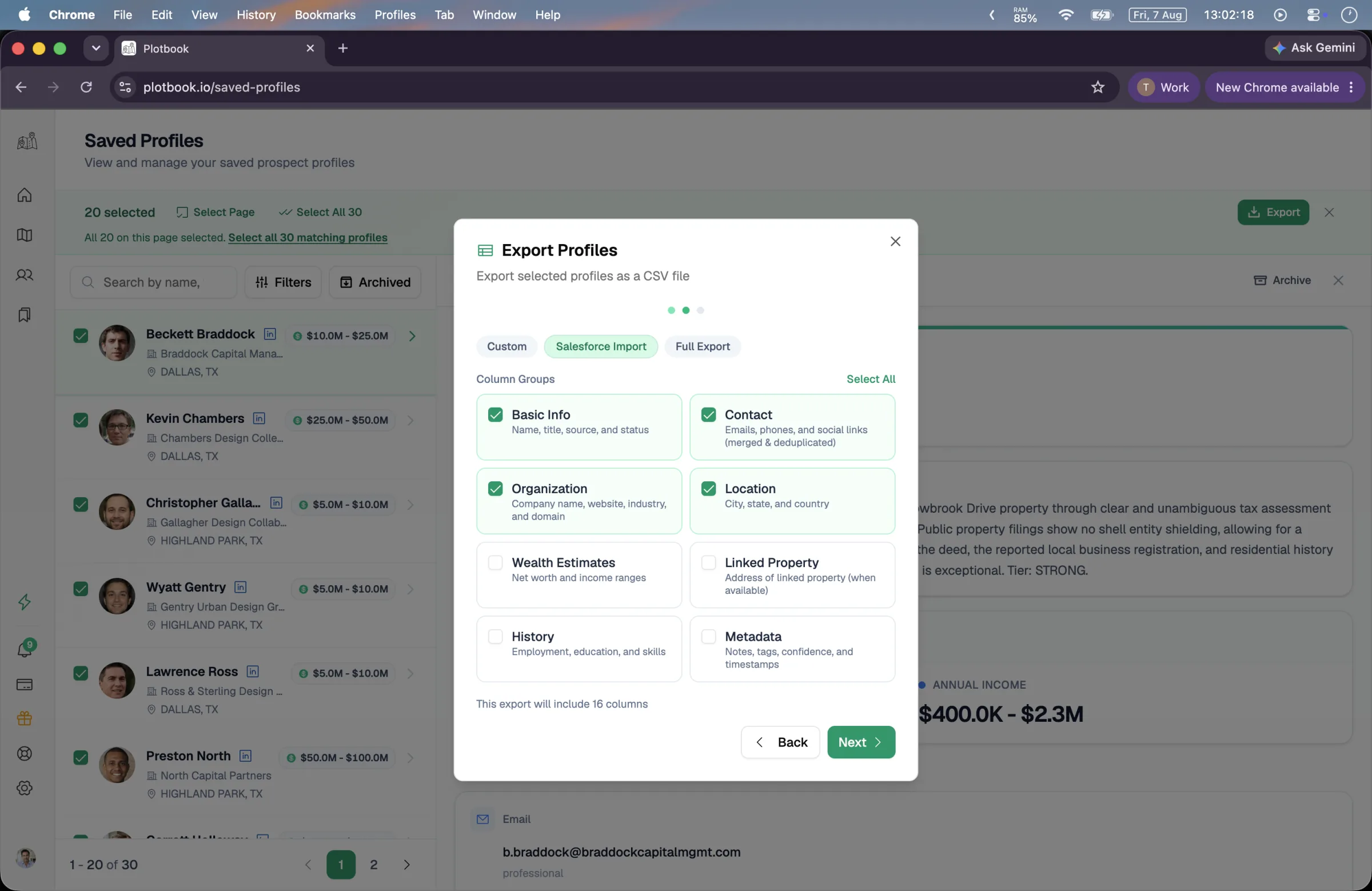
Eight column groups, twenty six columns
- Basic infoName, first and last, title, source, status
- ContactAll emails, phones, and social links, deduplicated
- OrganizationCompany, website, industry, domain
- LocationCity, state, country
- Wealth estimatesNet worth and income ranges
- Linked propertyThe full property address on file
- HistoryEmployment, education, skills
- MetadataNotes, confidence score, research summary, dates
Or start from a preset
Custom
Basic info and contact, then add whichever groups you need. The default when you just want names and ways to reach them.
Salesforce import
Basic info, contact, organization, and location: the shape a standard lead import expects, so the column mapping step is uneventful.
Full export
All eight groups, twenty six columns. For when the CSV is going into a spreadsheet you plan to work in rather than a CRM.
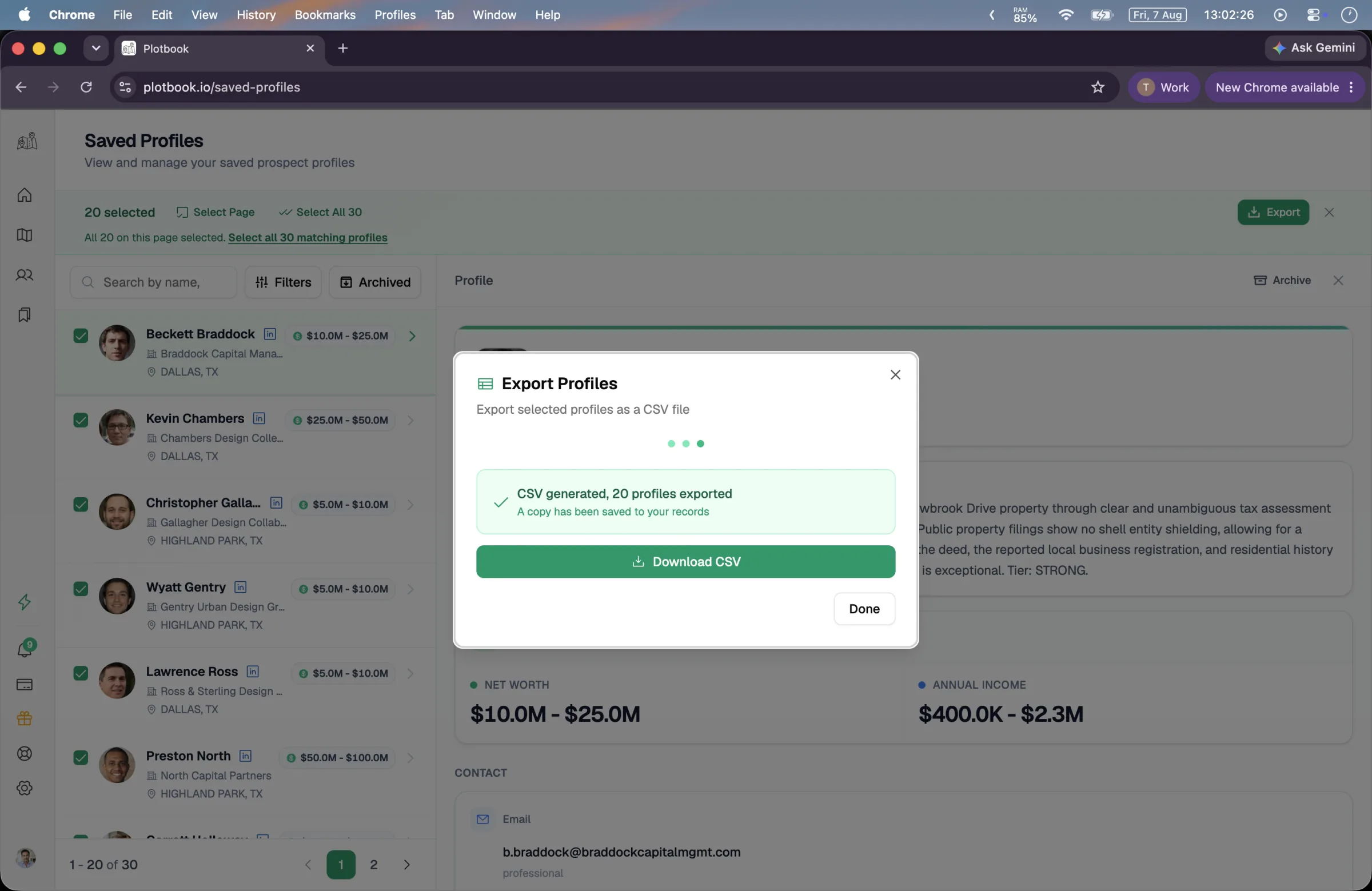
What this is, precisely. A file you control, up to 5,000 profiles per export, costing 5 credits and available on the Professional and Enterprise plans. There is no live two way CRM sync today, and we would rather say so than let you discover it after signing up.
You pay to find someone, not to keep them
Credits are spent when you discover a person, not when you keep one. Saving a search result is free, and enriching it costs 10 credits only when a match is found; research profiles arrive already paid for by the run that produced them. Storage, notes, filtering, and archiving are part of your plan. See plans.
See it run
From a parcel to a CSV in your CRM
The full walkthrough ends where this page starts: the prospect book filling up, then exporting.
Full walkthrough, 3 min. All people, contacts and wealth estimates shown are fictional demo data; property records are real public data.
Questions
What people ask about Saved Profiles
Stop losing research to a spreadsheet somewhere
Every owner you identify files itself, keeps its reasoning, and leaves in the shape your CRM wants.
New subscribers start with 7 days and 100 credits. We email you before the trial ends.