People Search
Describe who you want. In plain English.
No filter grids to reverse engineer, no boolean syntax to remember. Write the sentence you would say to a colleague. Plotbook works out what you meant, chooses the databases that can answer it, and hands back people with their contact details and a confidence score showing how many sources agreed.
Try
- CFOs at private equity firms in Dallas
- Tech founders in Austin at companies with 50+ employees
- Homeowners named John Smith in Richardson, TX
Step one
It tells you what it understood, before it spends anything
The failure mode of natural language search is a black box: you type a sentence, results appear, and you have no idea whether the tool understood you or got lucky. Plotbook shows its reading back to you in one line, names the database it chose, and puts a Refine filters link right next to it.
Reading your query costs nothing. Credits are only spent on the actual database call, which means you can rewrite the sentence until the interpretation is right and only pay for the search you actually wanted.
- The interpretation is shown as a sentence, not as raw JSON
- Refine filters opens the manual controls, pre-filled
- Parsing is free, every time you rewrite
Your query
CFOs at private equity firms in Dallas
- Job titles
- CFO, Chief Financial Officer
- Industry keywords
- private equity
- Location
- Dallas, TX
- Source
- Apollo
Expanded to synonyms so a title written one way still matches the other.
Free text the databases can actually match against.
US only. Non-US geography in a query is ignored rather than guessed at.
For this query, the model judged Apollo the strongest single source.
Two ways to search
Ask one database, or ask all of them
Most searches only need one good source. Some need the whole picture, and those are worth paying a little more for.
One query, the best source
The AI reads your sentence, decides which single database will answer it best, and runs one search. Fastest and cheapest: 2 credits, or 5 when it picks WhitePages. Good when you know roughly who you want and just need contacts.
- AI picks Apollo, RocketReach, or WhitePages for you
- Interpretation shown back to you before results
- 2 credits per search, 5 for WhitePages
All sources, then AI cleanup
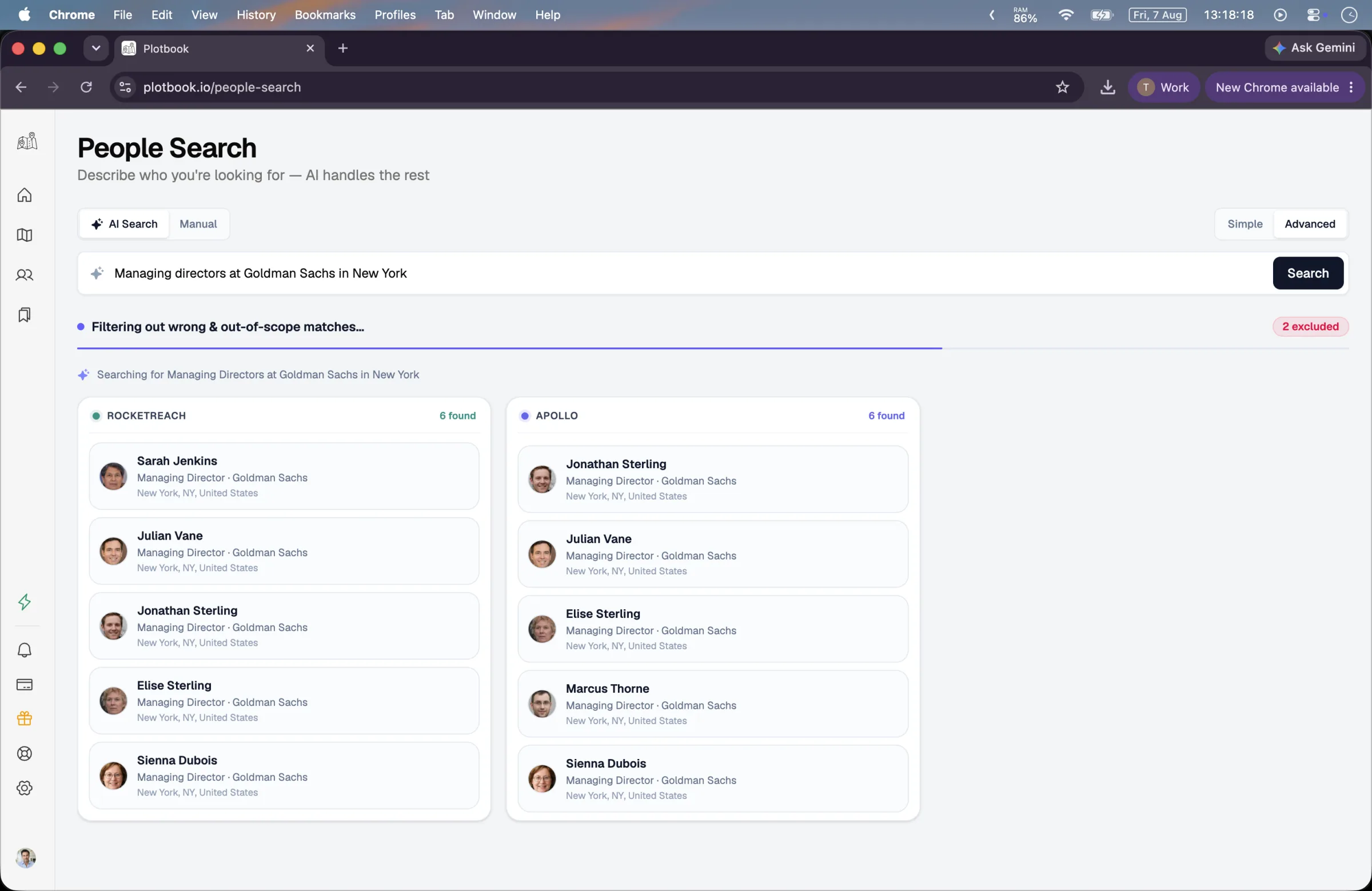
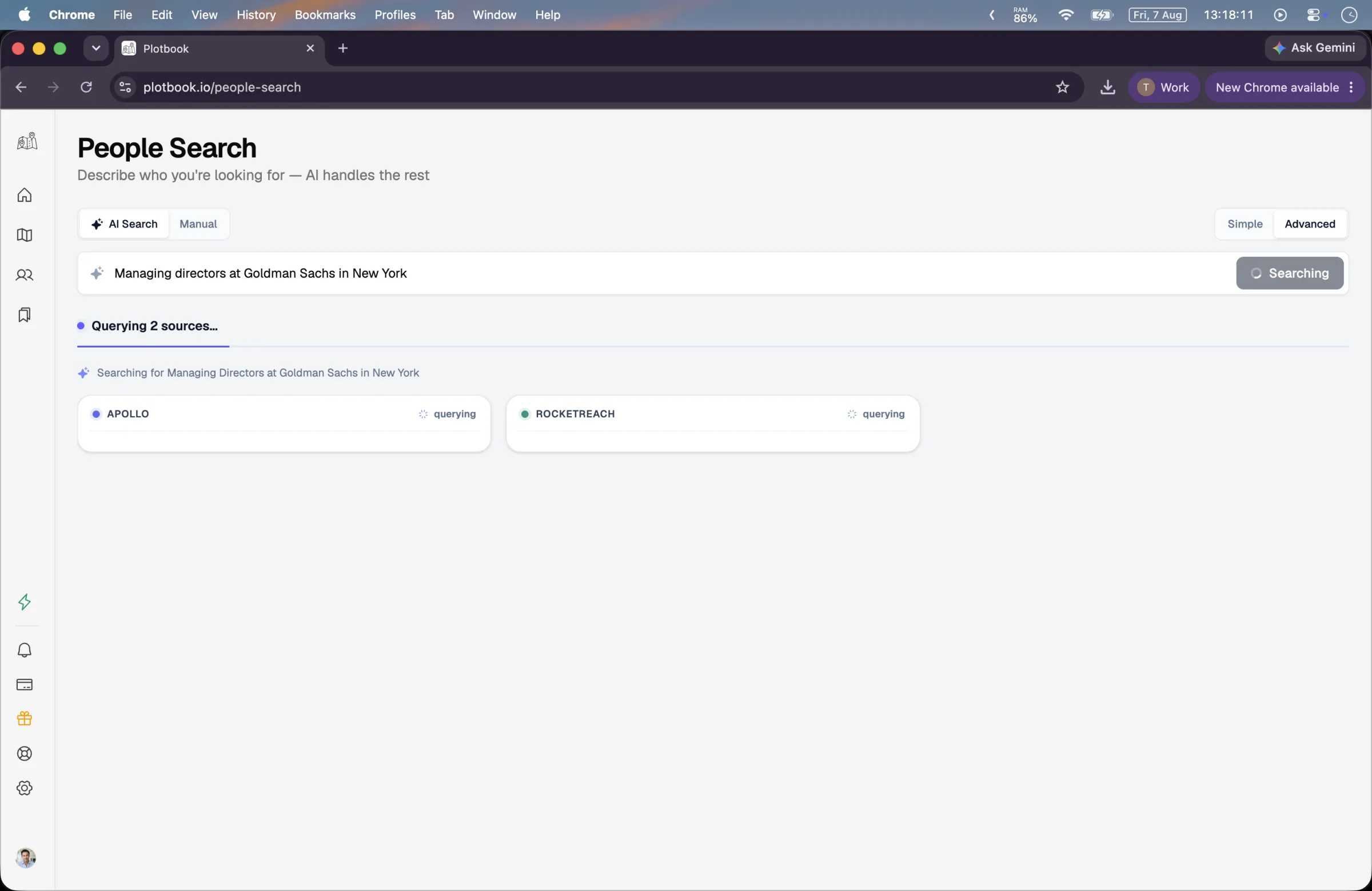
Apollo and RocketReach are searched in parallel (and WhitePages too when your query names a specific person). A second AI pass pools everything, folds duplicate people into one card, drops the records that do not belong, and ranks what is left.
- Parallel search across the databases, shown as live lanes
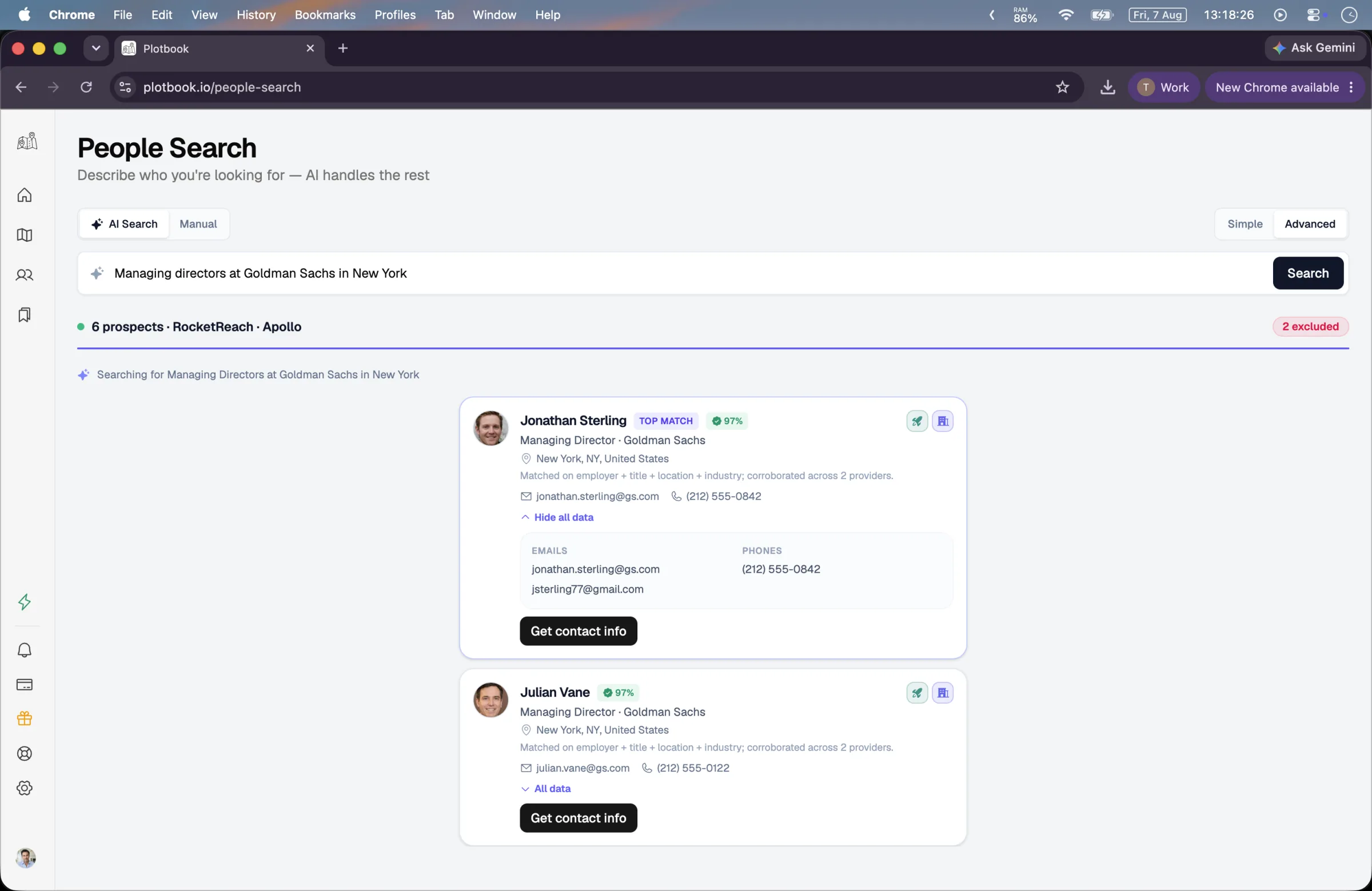
- Same person across sources becomes one merged card
- Wrong, non-US, and too-sparse records removed with a reason
The merge
Where AI helps, and where it is kept out of the way
Language models are excellent at judging whether two records describe the same person. They are exactly the wrong tool for producing a phone number. Plotbook draws that line deliberately.
The AI never writes a contact
The model only decides which records describe the same person and how to rank them. Emails and phone numbers are merged by code, from the provider payloads, so a contact detail cannot be invented by a language model.
Agreement raises confidence
Every merged card carries a confidence score. When three independent sources describe the same person it floors at 90, and at 75 when two agree. You can see which sources contributed on the card itself.
Rejections are labelled
Records the pass throws out are not silently vanished. They are dropped with a short reason: wrong person, non-US, deceased, too sparse. You can see how much noise the query attracted.
It degrades instead of failing
If the parse comes back empty, the query runs as a plain keyword search. If the merge pass fails, you still get the raw results. A bad AI day costs you ranking, never your search.
What we search
Two data worlds that usually stay apart
Business databases know what someone does for a living. Residential records know where they live and who lives with them. Wealth work needs both, so Plotbook searches both and shows you which side each fact came from.
Apollo
Professional
Title, employer, seniority, and the full company picture: industry, headcount, founding year, market data. Work emails carry a verification status, and employment history comes along with the record.
RocketReach
Professional
A second, independent read on the same professional world: current employer and domain, location, LinkedIn, and both professional and personal contact channels, revealed in full when you save the profile.
WhitePages
Residential
The household side of a person: current and previous addresses, owned properties, landlines and mobiles, relatives, and aliases. Used when your query names a specific person. Deceased records are filtered out.
All searching is United States only. Contact data comes from licensed providers and is used under their terms of service. Plotbook does not scrape. Read more about how we handle data.
What you get back
People you can actually call
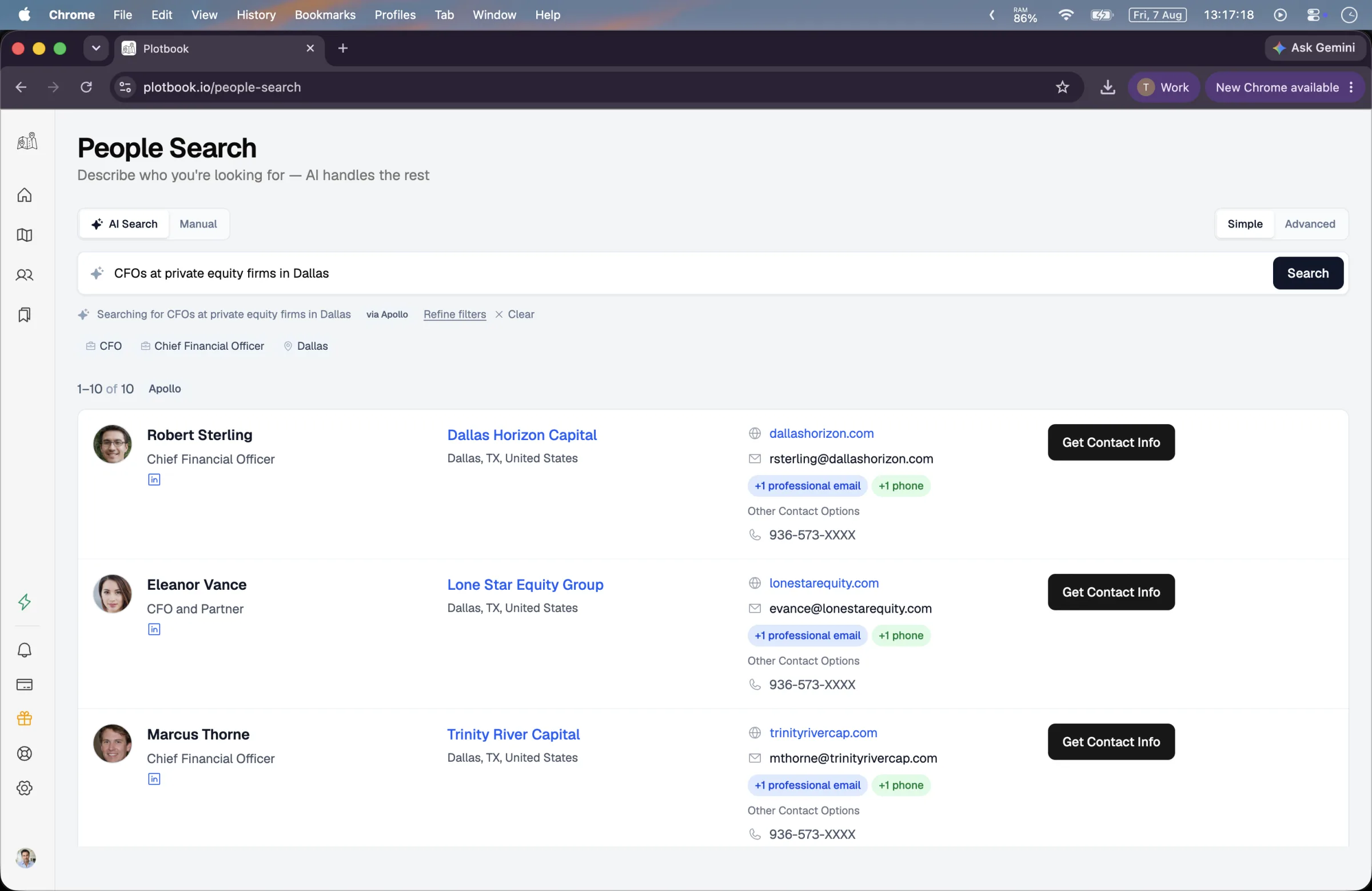
Twenty five results a page, each with a portrait, current title and employer, LinkedIn, and the contact channels the sources carry. Saving a result pulls the full record, unmasks the contacts, and files it in your prospect book with everything else you have researched.
- Name, title, employer
- Professional and personal email
- LinkedIn and social links
- Employment history
- Source badges and match reason
- One click save to profiles
Saved people land in Saved Profiles, where they pick up a wealth estimate and can be exported to your CRM.
What it costs
Priced per search, with nothing you did not ask for
Searching spends credits from your plan. The AI reading your sentence never does, which is the point: you should be able to iterate on a query for free and pay only when you ask a database for real data.
- AI reads your query
- Free
- Apollo or RocketReach search
- 2 credits
- Advanced multi-source search
- 4 or 9 credits
- WhitePages people search
- 5 credits
- Save a profile
- Free
- Enrich a profile, when a match is found
- 10 credits
Failed operations are refunded automatically. Searching requires an active subscription, and new subscribers start with a 7-day free trial. See plans.
See it run
A query, a merge, and a saved person
People Search in the context of the whole product, from the map through research and into the prospect book.
Full walkthrough, 3 min. All people, contacts and wealth estimates shown are fictional demo data; property records are real public data.
Questions
What people ask about People Search
Say who you want. We will go find them.
Write one sentence and see what comes back. Reading your query is free, so the first attempt costs you nothing but the typing.
New subscribers start with 7 days and 100 credits. We email you before the trial ends.